
The workflow
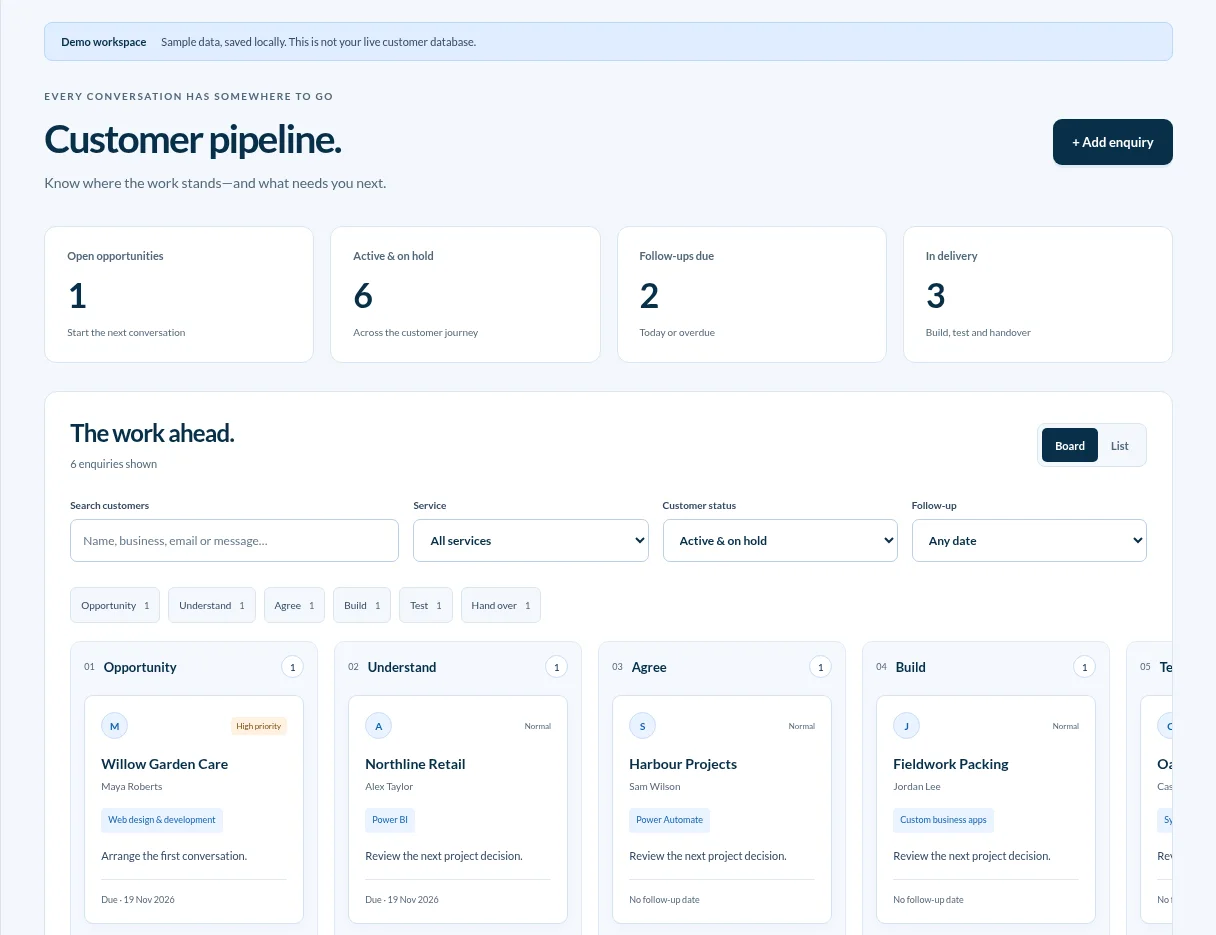
A website enquiry needs to become a record we can review and follow up. We wanted the message, project stage and next action visible together.
Capture the enquiry
The EfiOps contact form saves the message and selected service. The dashboard also supports manually adding enquiries that started elsewhere.
See where work stands
The board shows enquiries by stage, from Opportunity through to Handover. A list view, search and filters help find specific records.
Plan the next action
Each record can carry a next action and a follow-up date. The dashboard surfaces follow-ups that are due so we can work through them.
Keep the history together
Notes and activity stay with the enquiry so we can pick up the conversation with the relevant context.
Protect customer information
The dashboard requires authorised sign-in. The public screenshot uses sample records from the working dashboard.
Start with one workflow
The first version connects enquiry capture to follow-up. The same approach can be applied to quoting, job handovers or aftercare, depending on where work gets stuck.