Keep enquiries and quotes moving
Bring website enquiries and quotes into one pipeline, with a next action and follow-up date for each request.
Discuss enquiry tracking
Custom business apps
One app for the enquiries, quotes and jobs your service team handles every day. Built around the way you work.
Independent studio in Maidstone, Kent · Working across the UK

Choose the workflow that costs you time today. We can scope the first version around it.
Bring website enquiries and quotes into one pipeline, with a next action and follow-up date for each request.
Discuss enquiry trackingGive the team a shared job record with agreed details, tasks and the status of each handover.
Discuss job handoversTurn one busy spreadsheet into a shared app with the right fields, checks and access for each person.
Discuss replacing a spreadsheetInside EfiOps
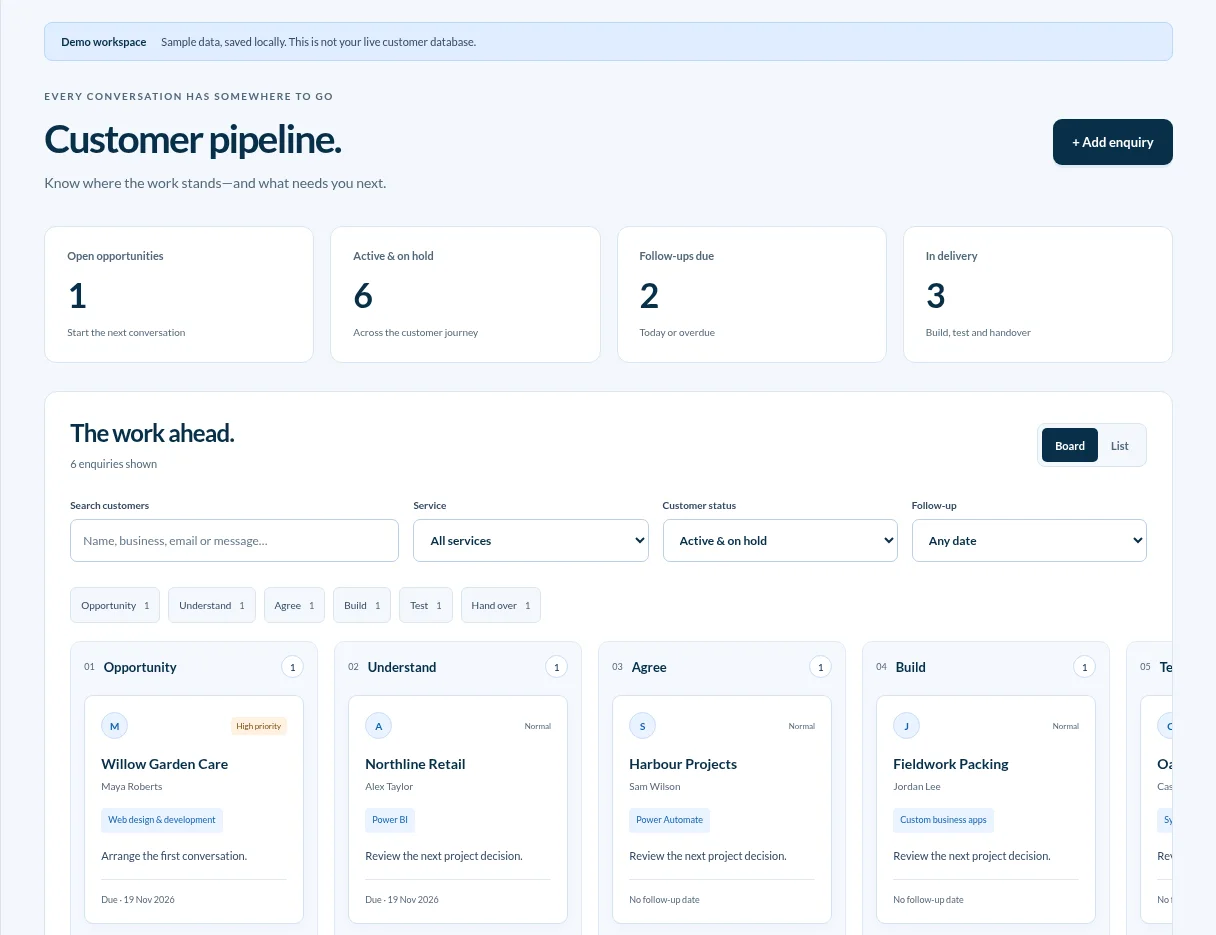
We use the same approach in our own business. When someone submits our website form, their enquiry appears in a private dashboard.
Working with EfiOps
Bring a recent example. You’ll work directly with Karol Songin, who scopes, builds and hands over the app.
See how projects workShow where things get copied, lost or delayed. We’ll work out which change would help most.
We define the first version, what it will cost and how we’ll check it before development starts.
Check it against situations your team actually handles and get a handover for day-to-day use.
Try a different way of working
Change the plan. Follow the enquiry. Ask the question. Explore the small decisions a connected system can make easier.
Orders meet capacity
Move the weekly volume and change the people available. The workload updates from the handling time and staff hours, so you can see when the plan needs a different decision.
Planning tools built around your teamThe next step, connected
A reminder is only useful if it knows what happened since it was scheduled. Switch between a waiting quote and a received reply to see how the next action changes.
Workflows with the exceptions consideredTwo working days have passed without a reply. The next message is ready for review.
A question with somewhere to go
A delivery question can use an authorised record. An address change needs more detail and a review. Try both—the source and the next step stay visible.
AI connected to useful informationWhen will order 1042 arrive?
Order 1042 is scheduled for Friday. It contains 12 items and is awaiting dispatch.
Order record · 1042A few useful answers
It can be a good fit if your team has a repeatable process and spends time copying details, chasing updates or checking which records are current. If a standard CRM or a simple integration covers the workflow, we’ll say so.
The quote depends on who needs access, what the app needs to do and which systems it connects to. We agree the scope, cost and acceptance checks before development. If detailed discovery is needed, we agree its scope and price separately.
Often, yes. Tell us what you already use for accounting, calendars, email and customer records. We’ll check what can connect, who owns the data and whether an integration belongs in the first version.
EfiOps journal
Compare a CRM, existing business software, integrations and a custom app. Choose around your workflow, total costs and the problem you need to solve.
Seven signs your business needs more than spreadsheets, plus a practical way to choose between a better process, existing software and a custom business app.
Build a clear enquiry process for your small business: assign owners, track next actions, follow up consistently and measure where opportunities get stuck.
Tell us where the work gets stuck. We’ll talk through what a first version could cover.
Discuss your workflow